The TAF window that matters.
The full TAF for DEST and ALTN, with the part that counts for your ETA ±1 h marked in yellow: visibility, ceiling, weather, wind. It still shows on a black-and-white printer.

Copying fuel, weights, routes and NOTAMs onto a sheet takes about 20 minutes before every duty. Briefingsheet downloads your CrewBriefing package, reads every leg and builds the A4 you take to the cockpit. You pick the NOTAMs.
The demo runs on a real, sanitised package. No login needed.

Built by a line pilot · for CrewBriefing packages
Open the package, find the OFP, copy the fuel block, the weights, the routing, the alternates. Then the TAFs, then pages of NOTAMs. Briefingsheet does the copying. You spend the time on the preparation itself.
Briefingsheet signs in to CrewBriefing and fetches the package for every assigned flight.
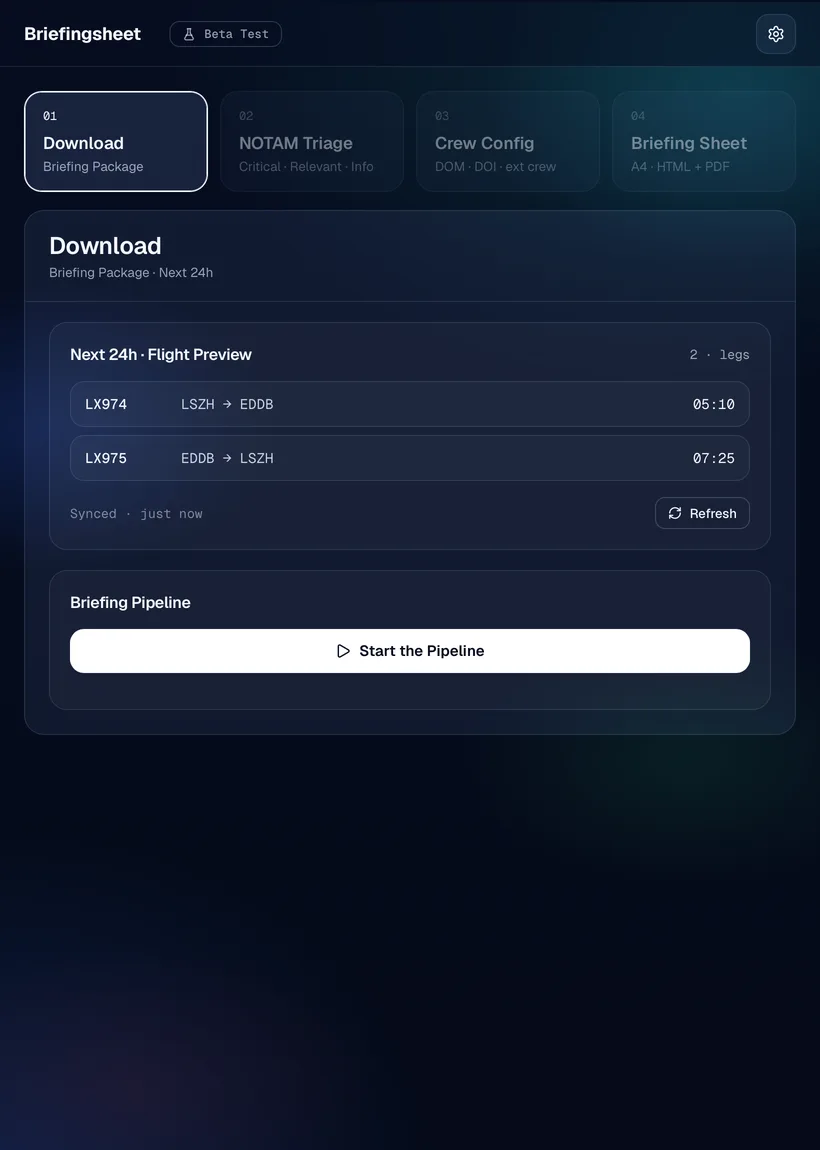
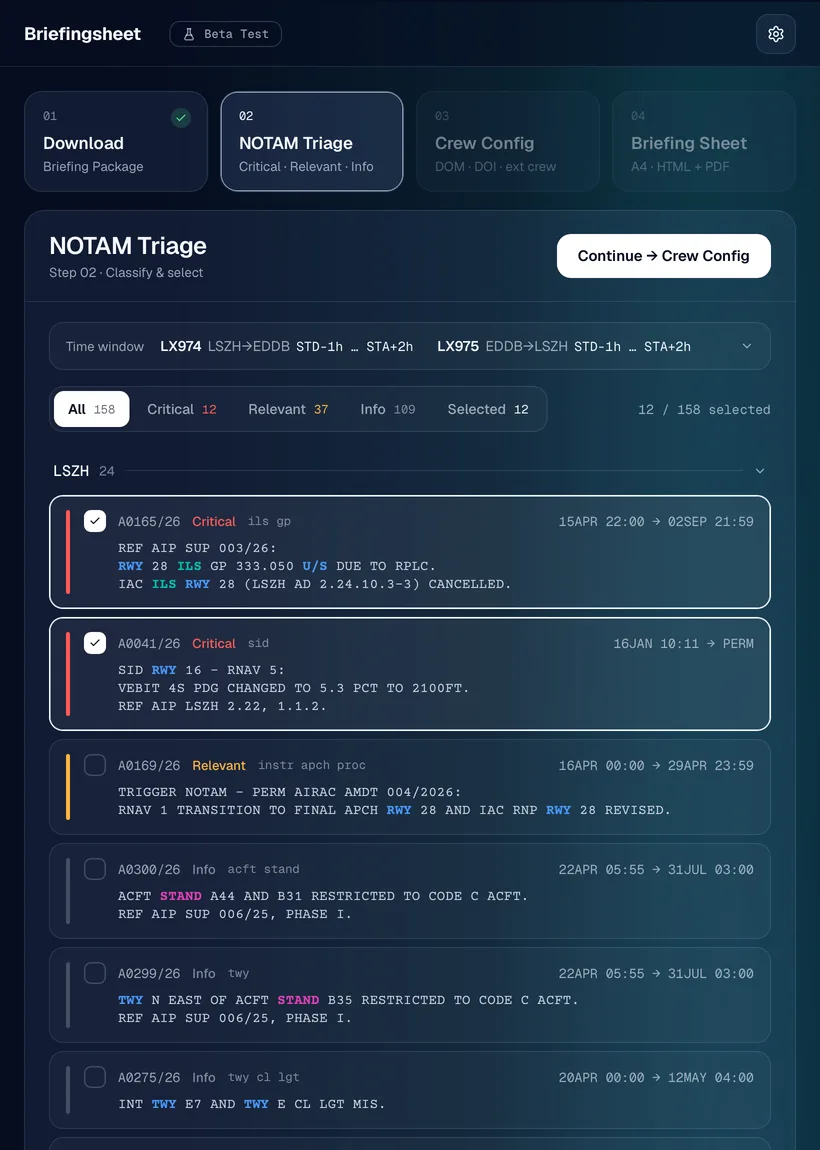
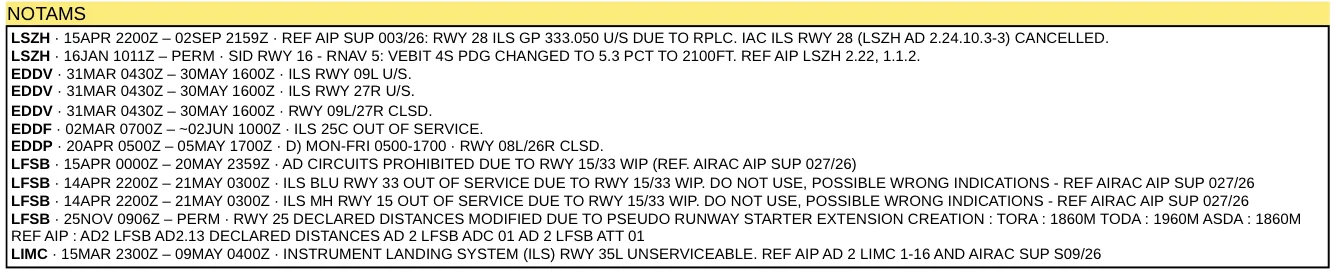
NOTAMs arrive sorted into Critical, Relevant and Info, in their original wording. Tick the ones that belong on your sheet.
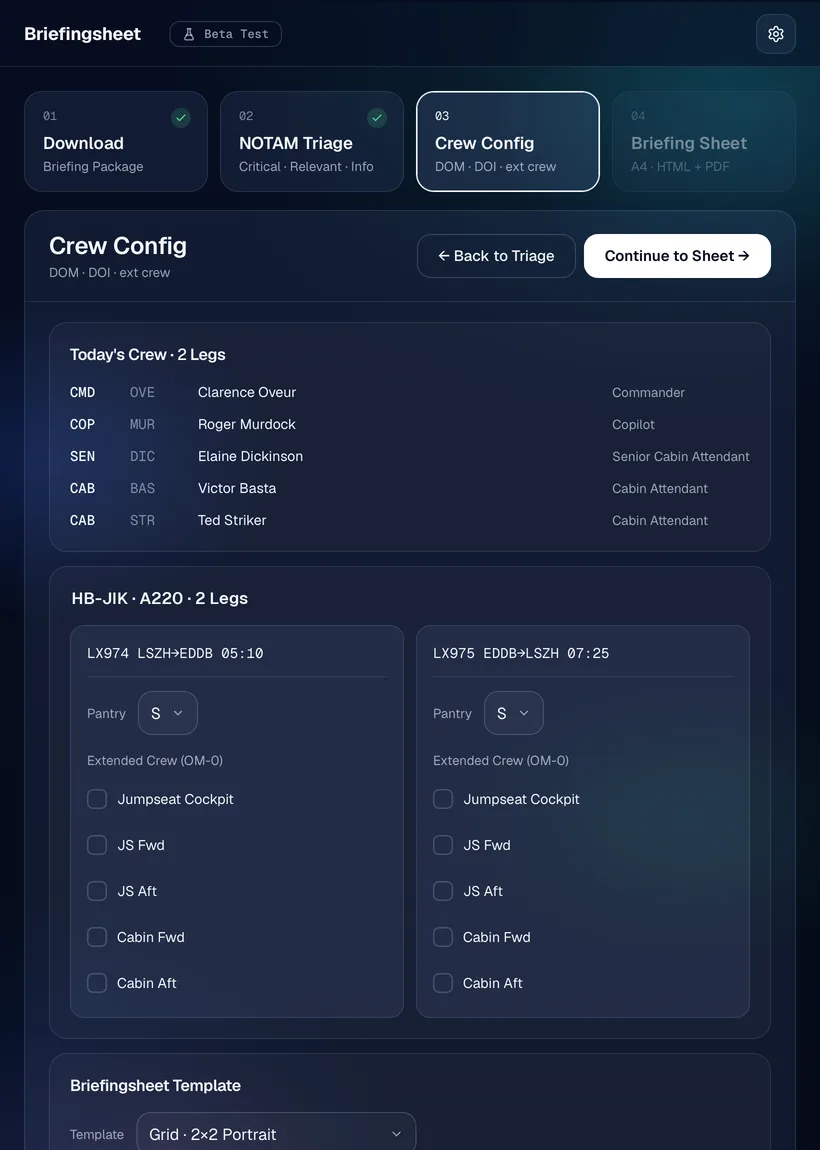
Check DOM and DOI and add extended crew. Briefingsheet recalculates weights and index.
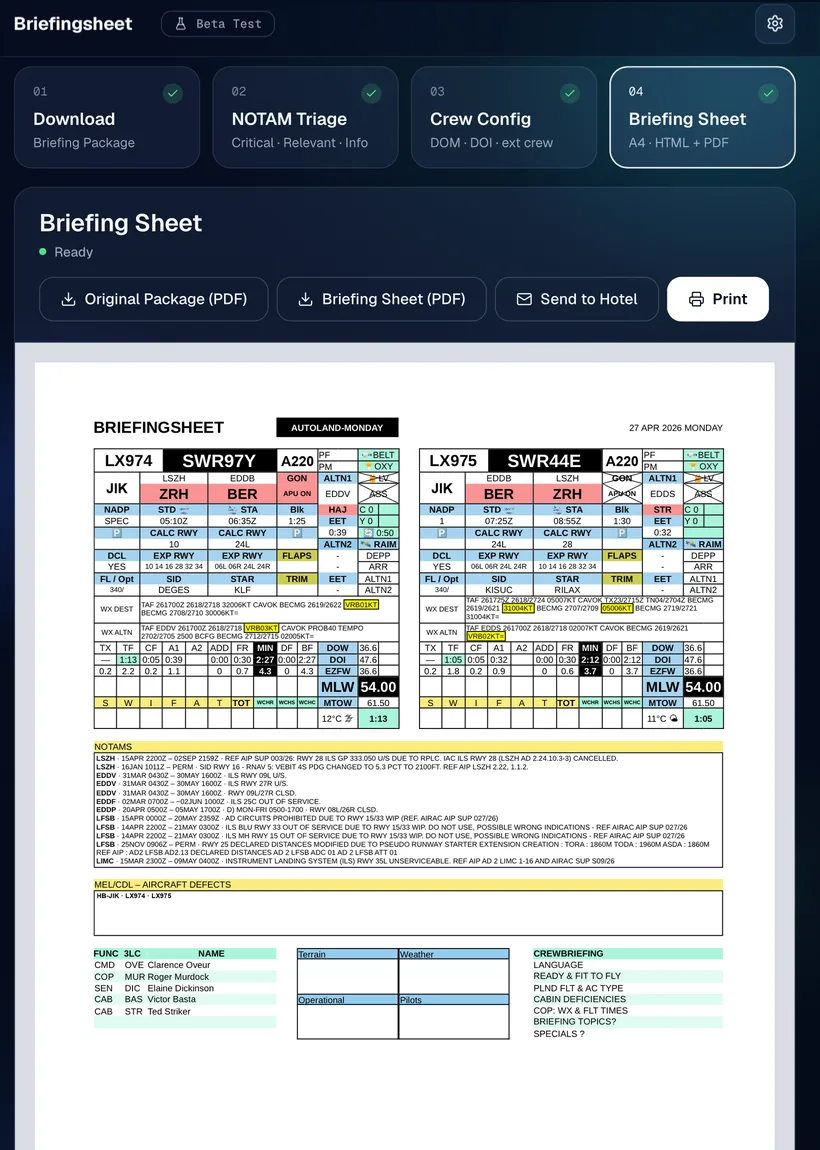
One A4 for the whole day. Print it with AirPrint, save the PDF or send it to the hotel.
The full TAF for DEST and ALTN, with the part that counts for your ETA ±1 h marked in yellow: visibility, ceiling, weather, wind. It still shows on a black-and-white printer.
Select the noise and delete it, so the sheet shows what matters. ↺ brings the original text back.
Briefingsheet asks Eurocontrol AUGUR for every DEST and ALTN and puts a PASS or FAIL badge on the sheet. You need your own free AUGUR login.
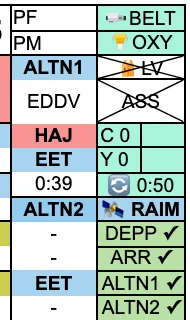
The Grid layout puts each leg in its own block, all on one A4. Prefer the classic layout? Choose in Settings or in step 3.
The complete fuel block, DOW, DOI and ZFW, plus the SWIFAT widget for take-off calculations.
Send the finished sheet to the hotel reception as a PDF. They print it, and it's waiting at reception. A blind copy goes to you; switch it off in Settings if you don't need it.
Small things too: icons for belt, oxygen and life vest, turnaround times, STD and STA, parking stands. TEM, stand and CTOT stay blank on purpose. Those are yours to fill in.
The demo takes a sanitised CrewBriefing package through all four steps. No login, nothing to install. If you like it, request access and you'll get an invite code from Roland, usually within a day.
Already have an invite code? Register · Sign in